Why Every Streamer Needs a Starting Soon Screen
So you've decided to start streaming once more. Setup? Check. Game settings? Ready! Toilet? Flushed. You're ready to hit that Start Streaming button. But what happens in those first few minutes before you actually start?
If your answer is "nothing, I just jump straight in," you might be missing out.
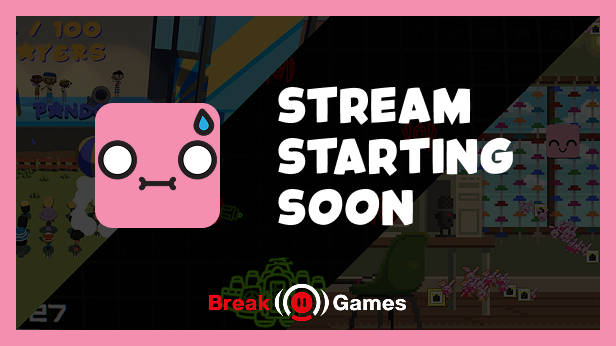
What Is a Starting Soon Screen?
A starting soon screen (sometimes called a "pre-show" or "opening") is a simple holding scene that plays before you actually start your content. Most streamers run them for anywhere between 30 seconds and 5 minutes, usually with some music playing in the background.
Why It Matters
1. Give People Time to Arrive
When you go live, Twitch doesn't instantly notify every single one of your followers. Push notifications can take a minute or two to appear on someone's phone, and by the time they tap the notification, open the app, and load the stream, several minutes may have passed.
A starting soon screen gives people that window. Without one, early viewers stare at a half-ready setup, while latecomers miss the opening entirely. With one, everyone gets a fair chance to show up and settle in before the real content begins.
2. Ads. Nobody Wants Ads Mid-Game.
When you go live on Twitch, the platform tends to run a batch of ads in the first few minutes. If the stream jumps straight into gameplay, new viewers get hit with an ad break the moment they arrive, and many will just close the tab.
The smart move is to let those ads run during the starting soon screen. By the time the actual stream begins, the ad break is out of the way, and no one misses anything. Every viewer starts from the same place, which makes for a much cleaner opening, especially because pre-roll ads are temporarily disabled.
3. Those First Few Minutes Are Chaos
Going live is stressful. Even after an hour of preparation, the moment that button is pressed, there are always things left to do: posting to socials, checking audio levels, making sure nothing is accidentally muted, confirming the stream looks right from the outside.
A starting soon screen is that buffer. It buys a few minutes to tie up loose ends without the pressure of being on camera. Framerate, connection, sound: anything that could go wrong has a much better chance of being caught and fixed behind a pre-show screen than mid-game in front of an audience.
4. It Sets the Tone Before a Word Is Said
The starting soon screen is the first thing viewers see. The right music, a clean design, and a short countdown already tells an audience what kind of stream they're in for, before the host has even appeared on camera.
That atmosphere carries into the stream itself. Viewers who arrive during a well-put-together pre-show are already in the right headspace. They're engaged, they're chatting, and they're ready, rather than arriving mid-setup while the streamer scrambles.
5. Post to Socials Without Missing Your Own Start
Most streamers announce they're live on Twitter/X, Discord, and Instagram the moment they go live. But doing that while already on camera and playing a game means split attention right from the start.
Starting the pre-show screen first solves this. Go live, let the scene run, use that time to post the links, and by the time that's done, the audience is gathered, and the stream can begin with full focus.
How Long Should It Run?
The sweet spot is 3 to 5 minutes. That's enough time for:
- Notifications to reach most followers
- The first ad batch to clear
- Final checks and social posts to be done
- Early viewers to say hello in chat
Much longer than 10 minutes and viewers will start leaving before the stream has even started. Keep it short, purposeful, and worth watching.
But What If a Static Screen Is Boring?
This is where most streamers leave potential on the table. A static "Starting Soon..." graphic with a countdown is better than nothing, but it's a missed opportunity. What if the pre-show was something viewers actually wanted to watch? Something they could participate in?
That's exactly what Break Games was built for.
Break Games is a Twitch-integrated game (available on Steam) that turns the pre-stream screen into an interactive game chat can play while they wait. Instead of staring at a countdown, early arrivals can jump straight into:
- Cuby (aka DVD-Screensaver): a bouncing cube versus chat's emotes. Viewers spam emotes to score points while Cuby tries to wipe them out. Simple, addictive, and surprisingly competitive.
- Stream Invaders: Chat coordinates a defence against an alien invasion, working together to beat the high score. A great way to build community energy before the stream has even started.
- Victory Dance: Last dancer standing wins. Perfect for running a giveaway during the pre-show. Tell early viewers they can win a game key. Do it regularly, and no one will ever be late.
All three games run directly through an OBS browser source and connect to Twitch chat commands, with no complicated setup required. Viewers just type in chat to play, and it works with any audience size. Need a bit more time? A mod can help and restart games if needed.
The result? By the time the stream actually starts, chat is already warmed up and already talking to each other.
Break Games is available now on Steam. It works with OBS, Streamlabs, and every major broadcasting tool. No subscriptions, just a one-time purchase, and you're ready to go. All three games are included.